Add an Employer
Add an Employer for each organisation you place apprentices or learners with. Users, Admins and Team Owners can add Employers. Read Only users cannot.
Add an Employer from the Employers list
-
Go to Employers → Employers.
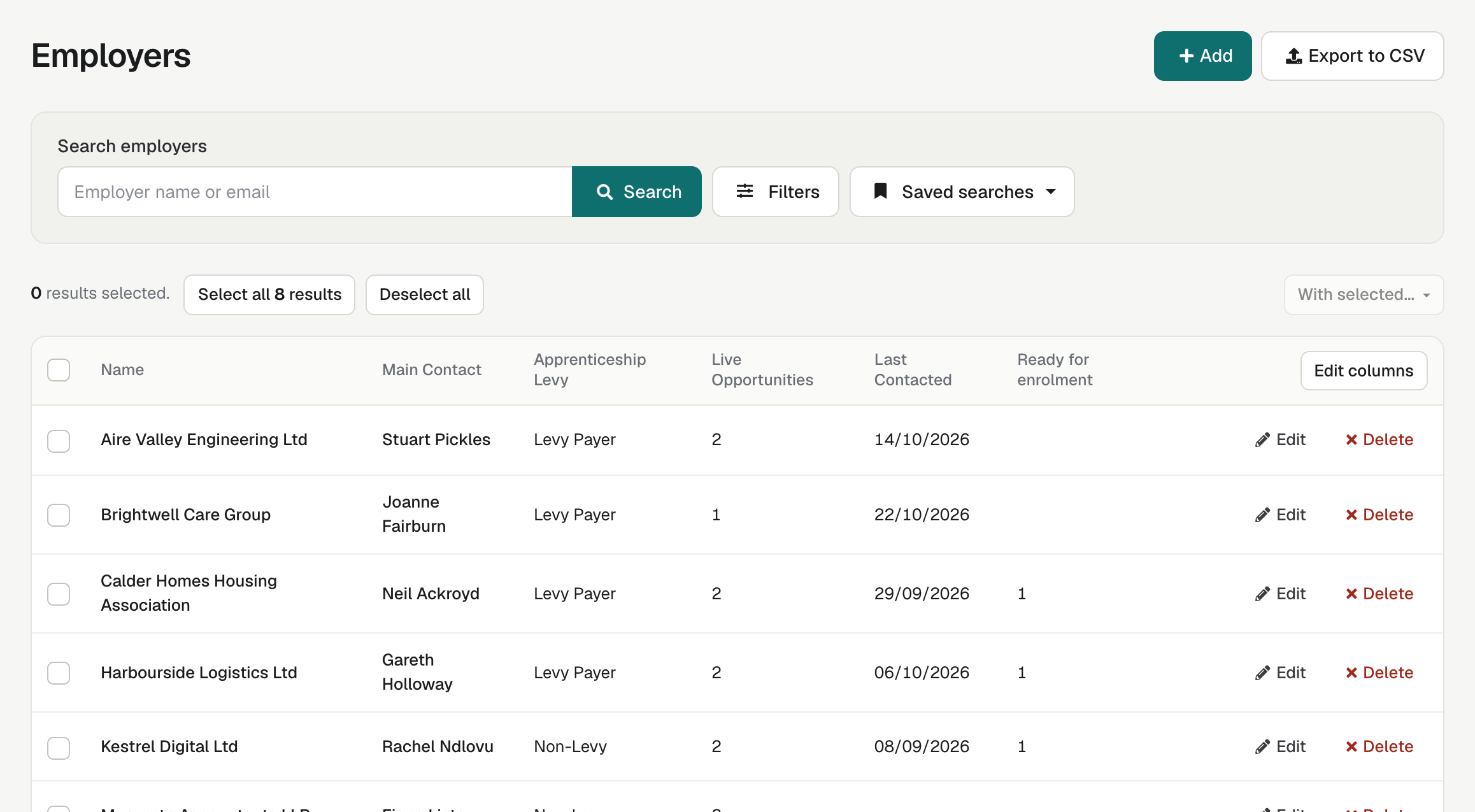
-
Select Add.
-
Type the Employer Name.
-
Select Add employer.
enrola confirms that the employer has been created and opens the new record.
-
Under Employer Details, choose at least one person in Assigned Supervisors. This is required.
-
Fill in the other details you have, such as Apprenticeship Levy, ERN and Phone. enrola saves each field as you go.
-
Add the employer's first contact: select Add a contact in the red bar at the top. See Add and manage employer contacts.
If you try to leave the record before the required fields are filled in, enrola asks: "This record has mandatory information that hasn't been completed. Are you sure you want to leave?"
Other places you can add an Employer
- From an Opportunity: in the Opportunity's summary, select Add employer. A window asks for the Employer Name, Assigned Supervisors and the other details, then links the new Employer to the Opportunity.
- From an activity: on the New activities page, select Add employer beside the Employer list.
If you have many Employers to bring in from another system, the enrola team can import them for you. See Import records from another system.
Find the address from a postcode
-
In Employer Details, type the Postcode and the House No (a number or a building name).
-
Select Find address.
enrola fills in Address, District, Town/ City, County and Country.
| Message | What it means |
|---|---|
| Please Enter Postcode and House No. | One of the two boxes is empty. |
| We couldn't find the full address. Please check it and fill in the rest. | enrola knows the postcode but not the building. Type the first line of the address yourself. |
| No addresses could be found for this postcode. | Check the postcode, or type the address yourself. |
Look up the company at Companies House
The Companies House panel holds the company's registered name and number, with links to its record at Companies House. If you can't see the panel, turn on Edit page layout and show it.
-
In Companies House, type the Company number.
-
Select Get employer data.
enrola says Looking for data..., then confirms that the lookup was successful.
enrola fills in Full Company Name and the Company Overview, Filing History and Officers links. It can also copy the registered office address and the first SIC code into Employer Details. Check those fields after a lookup, and reload the page to make sure they were kept.
If enrola says No data could be found for this value., check the company number (it has 8 characters, for example 01234567 or SC123456). You can always type the details in yourself.
Good to know
- enrola does not check for duplicates. Search the Employers list before you add an employer, to see whether a colleague has already added it.
- The ERN box takes numbers only.
- Admins can add their own fields to Employer records. See Add your own fields and panels.